


Simplified Parking
- Pay for short-term or long-term parking in seconds
- Park multiple cars at the same time
- Easily manage parking permits


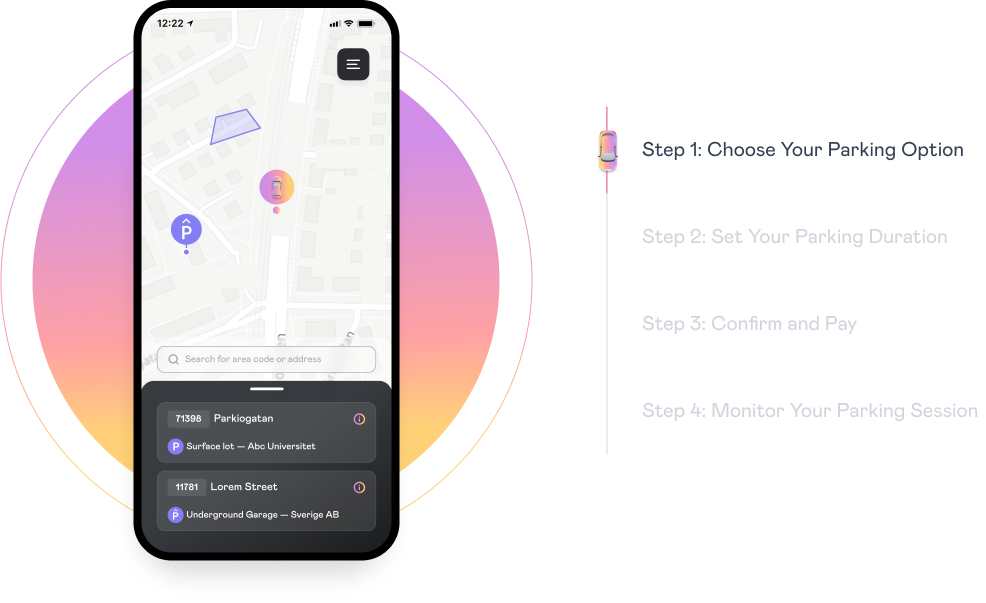
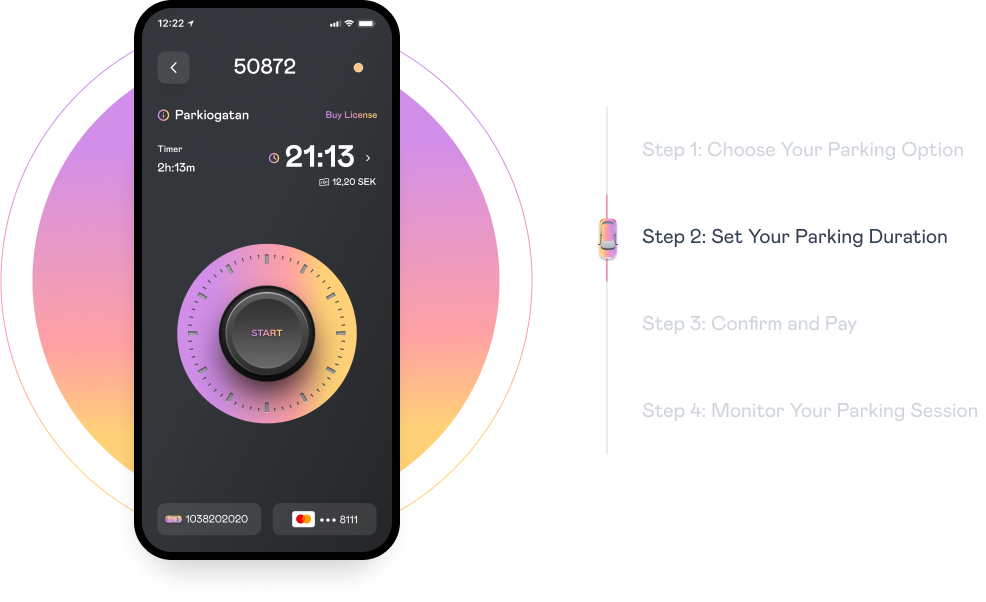
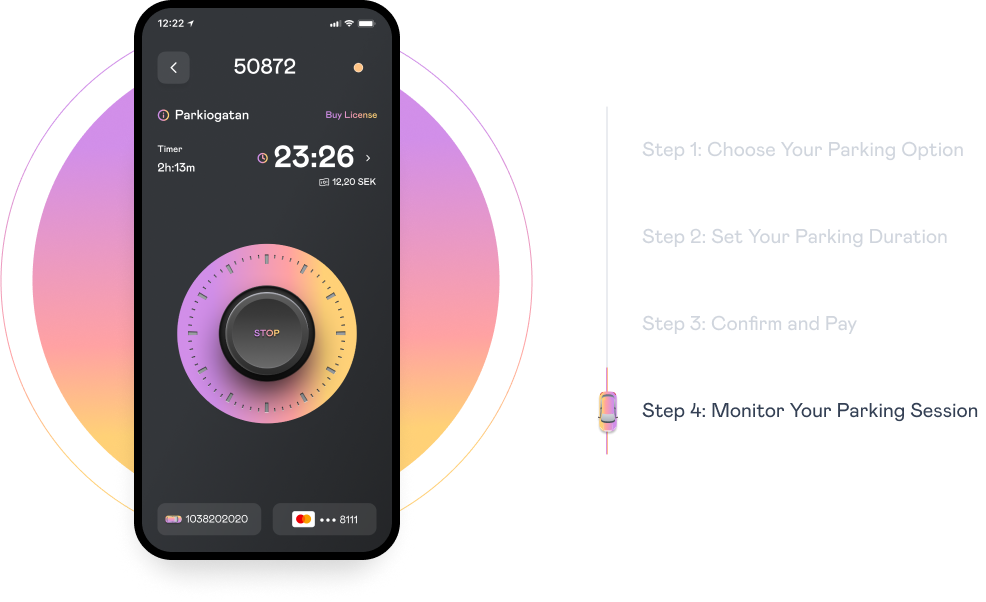
Park in 3 easy steps with PARKIO
Choose Parking Location
Select Parking Duration
Press start. That's it!
Why PARKIO?
Enhancing Your Parking Experience With Smart Features
Digital Permit
Parkio's digital permits allow eligible users (like residents or students) to validate parking automatically. The system verifies your eligibility through secure digital checks, eliminating paperwork. Once approved, your permit activates in the app - no physical tags or manual renewals needed. Manage all your permits alongside regular parking in one place.
Remainder Notification
Parkio automatically sends you reminders before your parking session expires, so you never overpay or risk a ticket. You'll receive alerts when time is running low, giving you the option to extend your parking directly from the notification. These reminders work for both short-term parking and active permits, keeping all your parking worry-free.
Park Multiple Cars
Parking for family or friends? Add their vehicle in the 'Vehicles' section to manage multiple cars through your account. Each added vehicle parks just like your own, with the same easy controls. All active parking sessions appear together under 'Tickets' for simple tracking. No need to switch accounts – everything stays organized in one place.
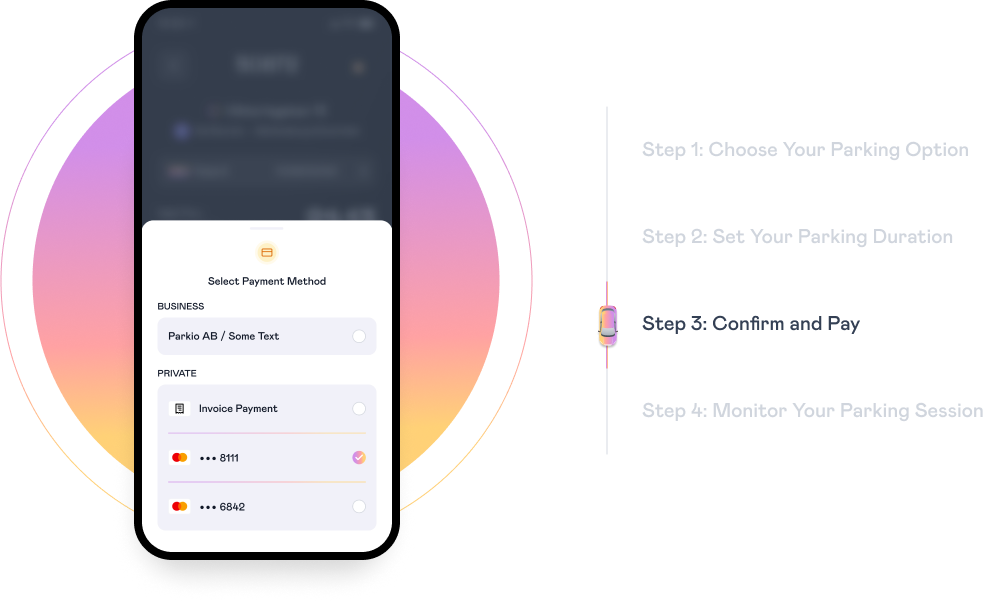
Card and Invoice Payment
Parkio consolidates all your parking charges into one monthly payment, payable by credit/debit card or digital invoice (paper invoices incur a small fee). Manage your payment method and view all sessions in your 'My Pages' account for a clear monthly overview without multiple receipts.
Business Accounts
Parkio's business accounts simplify fleet parking management with centralized control. Admins can manage multiple vehicles, set spending limits, and track all parking activity in one dashboard. Employee parking permissions are easily assigned or revoked in real-time. Monthly reports help optimize parking costs across your organization. Enjoy bulk payment options.
Remote Session Management
Easily cancel or modify active parking sessions. The 'My Sessions' section lets you end parking early, extend time, or switch vehicles with one tap. Receive instant confirmation when adjusting your session, with prorated refunds for early cancellations. All changes sync in real-time to prevent overpayment. Manage every parking session as flexibly as your schedule requires.
Fast and Secure Payments
Parkio ensures worry-free payments through our trusted partners Bamboora and Riverty, industry-leading payment processors. You can choose secure card payments, digital or paper invoices. Every transaction is protected with bank-grade encryption and meets strict PCI compliance standards, keeping your payment information completely secure at all times.
Parking Availability
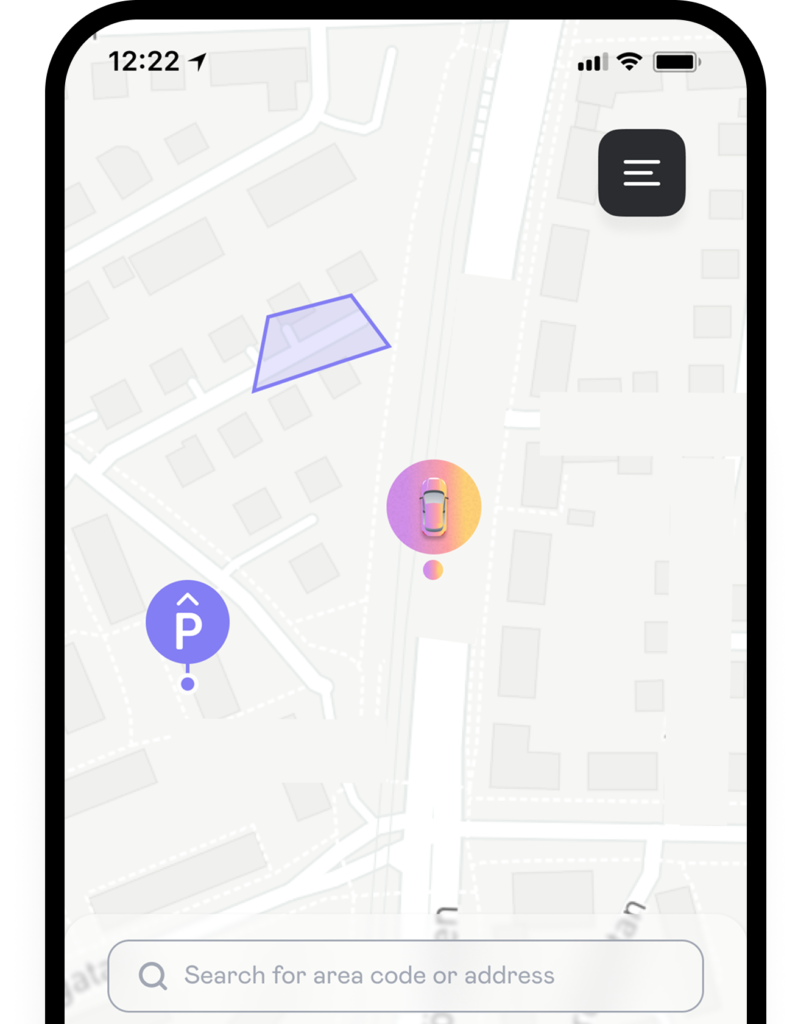
Check real-time parking availability in any zone before you arrive through Parkio's live map. The app shows open spots in your desired area, helping you plan efficiently. Color-coded zones indicate high/low availability at a glance. Availability updates constantly, so you'll always see current openings. No more circling blocks – reserve directly to your spot when you arrive.
How it works
Park with ease step-by-step
Support
Review FAQs
Download the Parkio app from your smartphone’s app store, follow the in-app registration steps, and agree to our Terms & Conditions and Privacy Policy. Registration requires a valid phone number and email address.
Parkio offers several payment methods including automatic credit/debit card payments (VISA and Mastercard), digital invoices sent by email or SMS (with a 10 SEK fee), and paper invoices (with a 19 SEK fee). All payments are securely processed through our trusted partners Bamboora or Riverty using bank-level encryption.
Parkio is available in partnered cities and specific zones within those cities. You can check which areas are supported by looking at the live map in the app. Please note that parking rules and fees may vary depending on location, and some areas might not yet be available in our system.
When you register your VISA or Mastercard in the app, Parkio will charge your card for each parking session. For regular parking, you’re charged when you end your session, while permits are paid upfront. For security, all card payments are processed by Worldline Sweden AB, and we never store your complete card details.
To buy a parking permit, first find your parking zone in the app. If permits are available for that area, you’ll see a “Buy Permit” button. After selecting your permit type, you may need to verify your eligibility using Freja eID (especially for residential permits). Once purchased, permits are active immediately and cannot be canceled.
If an invoice remains unpaid after 14 days, a reminder fee will be added. Continued non-payment may result in the case being sent to a collection agency, and your Parkio account may be temporarily suspended until all payments are settled. We recommend updating to digital invoices to avoid missing payment deadlines.
Get PARKIO for iOS and Android

Get in touch
Contact Us
form, and our dedicated support team will get back to you as soon as possible.